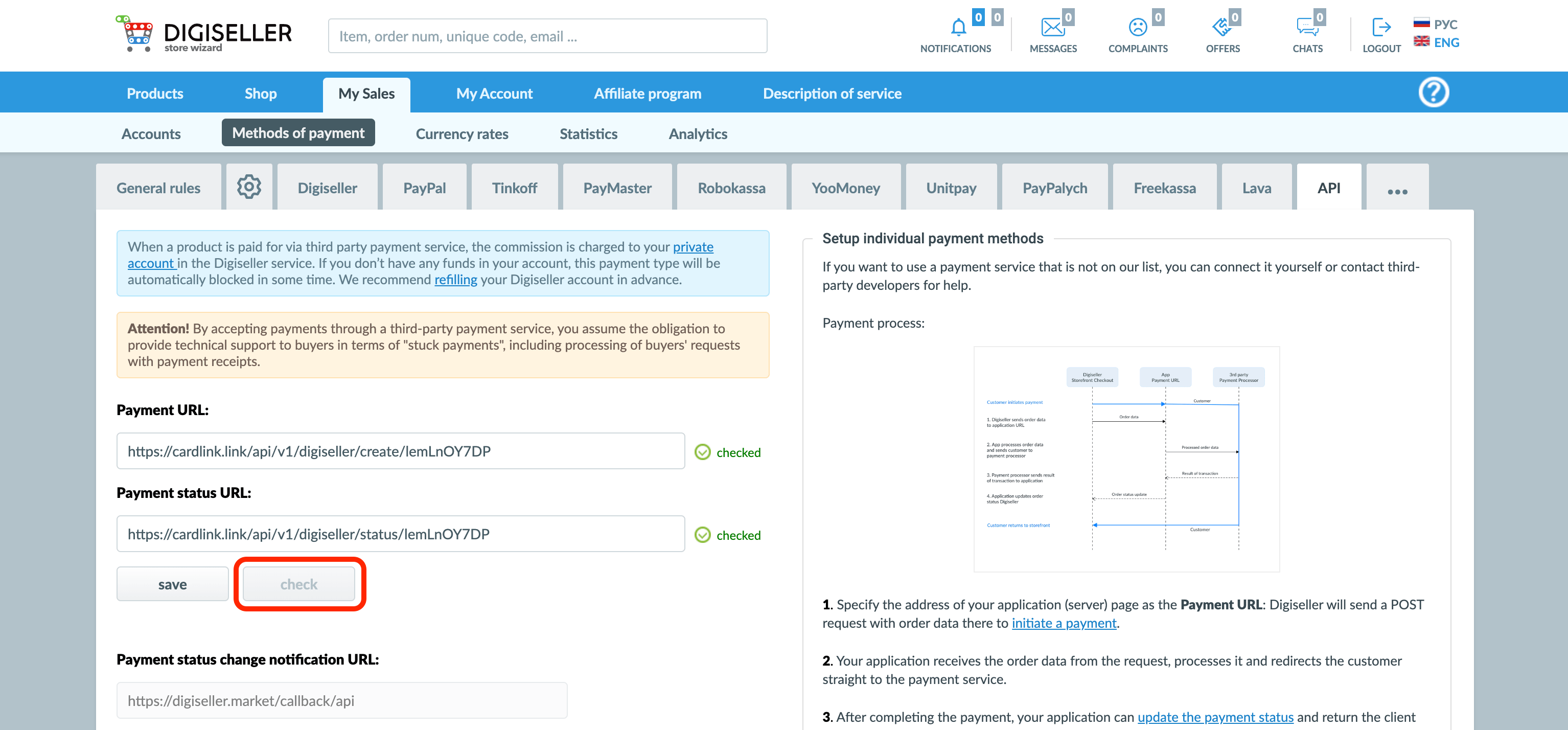
Important! Before setting up integration with Digiseller, your store must be approved and activated in cardlink.link.
-
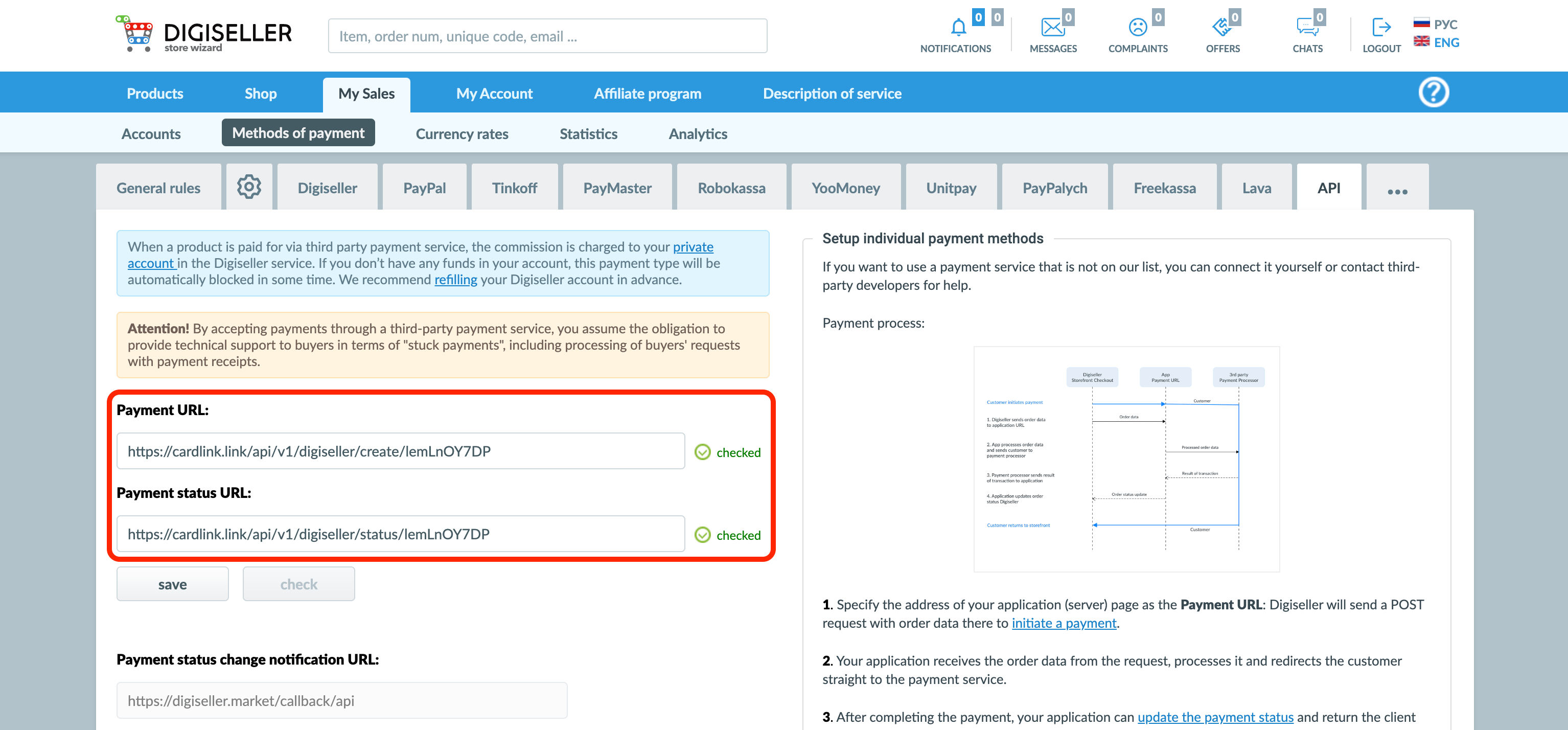
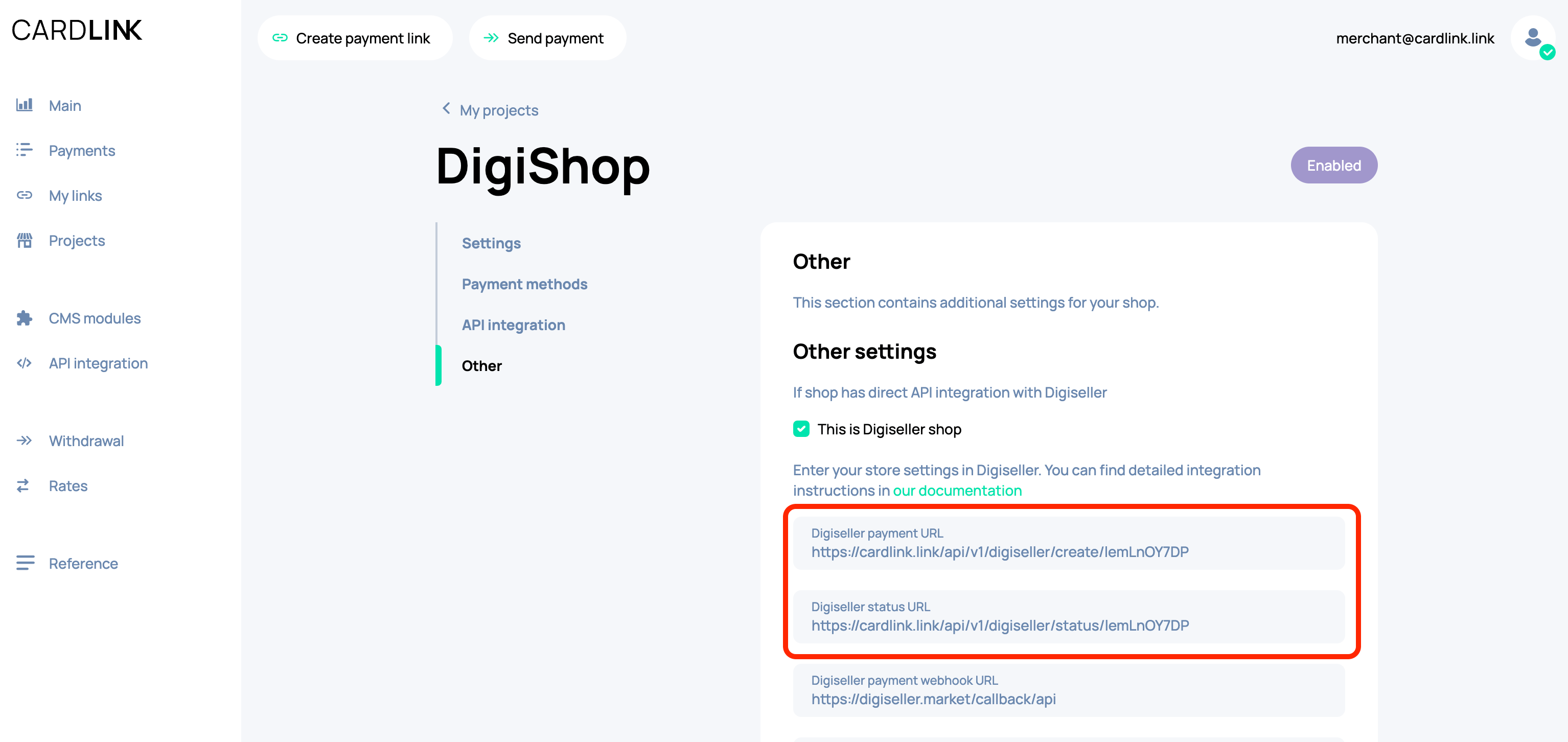
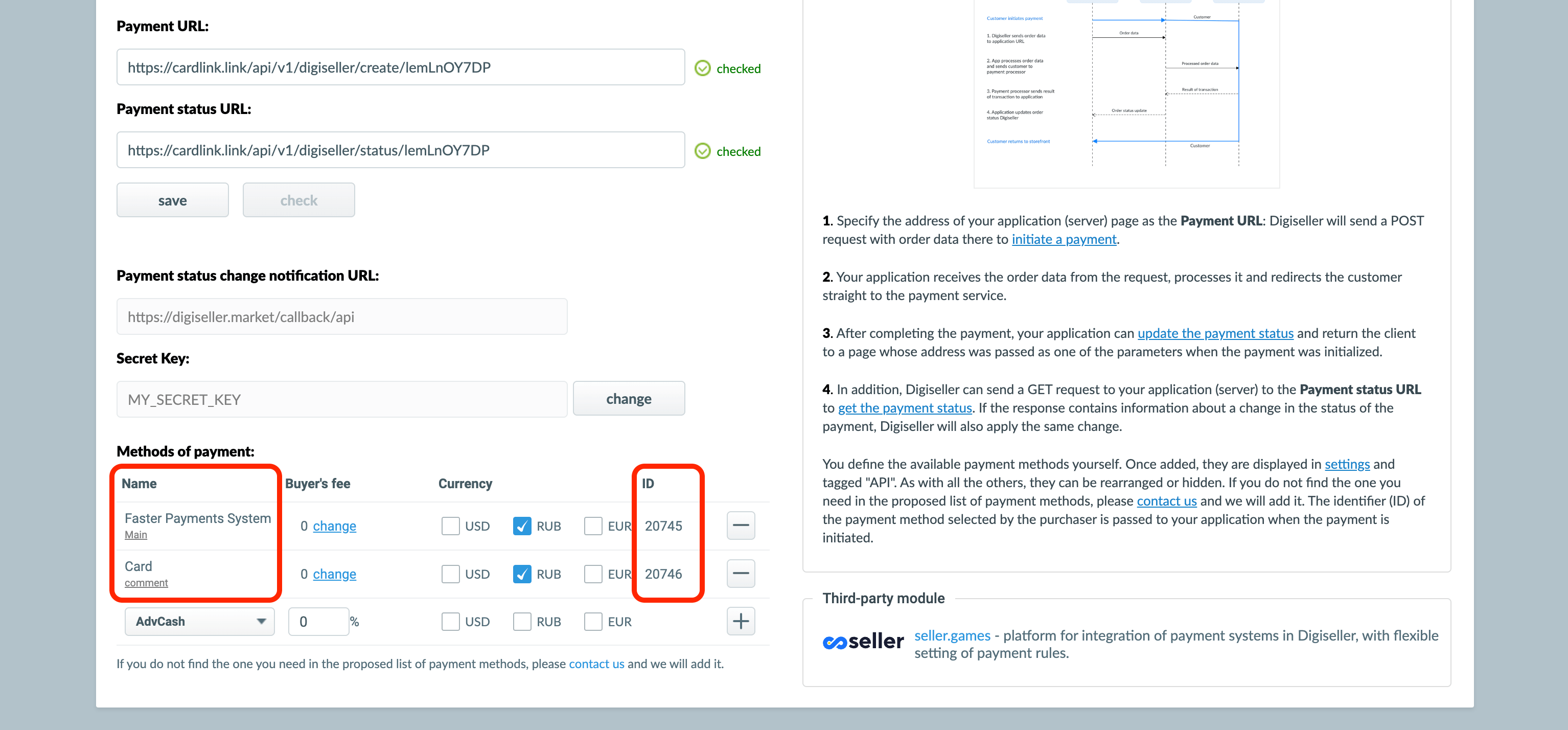
Go to your Digiseller account -> Payment methods -> API. On this page you need to fill in the fields Payment URL and Payment status URL. You can find them in your store settings in the «Other» section in cardlink.link.
-
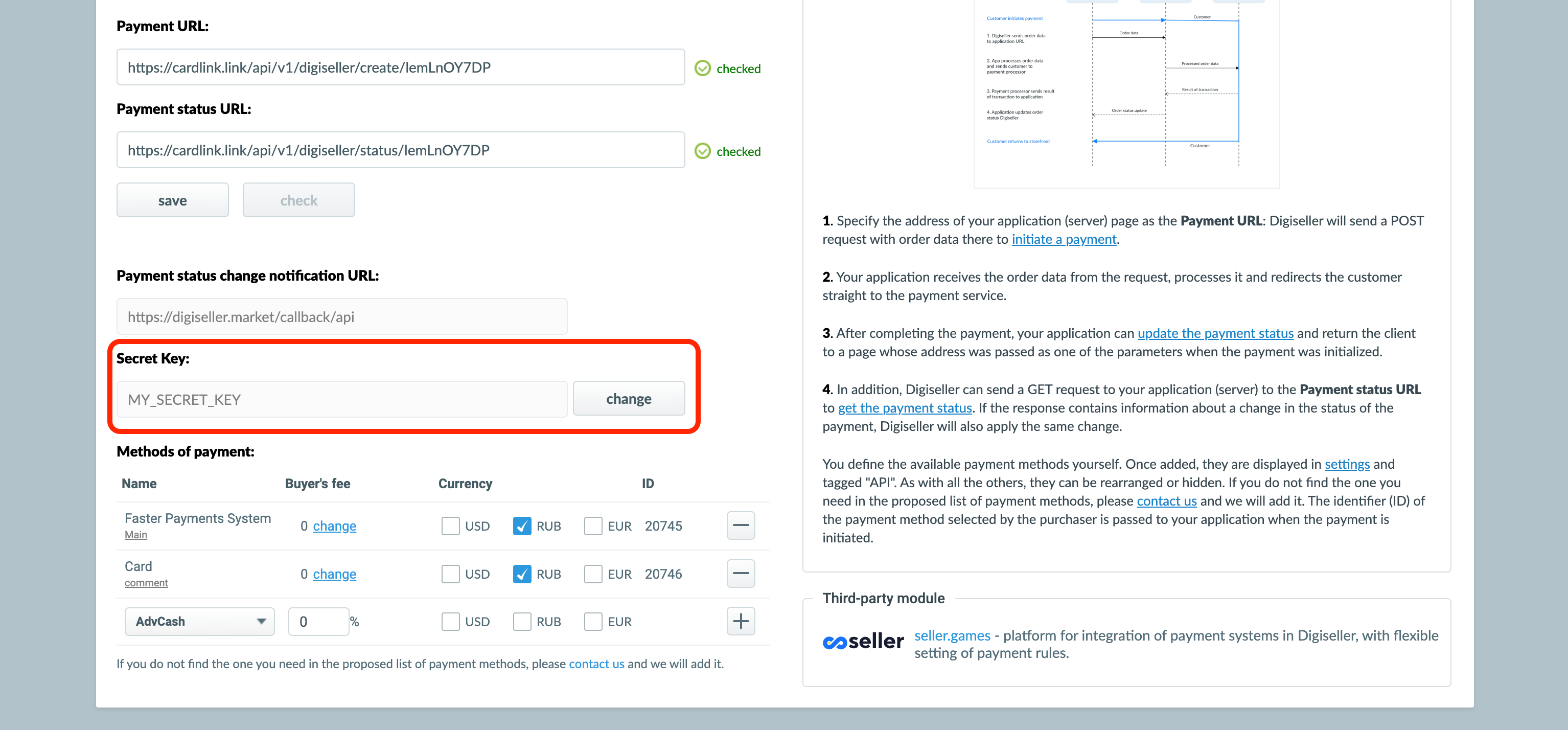
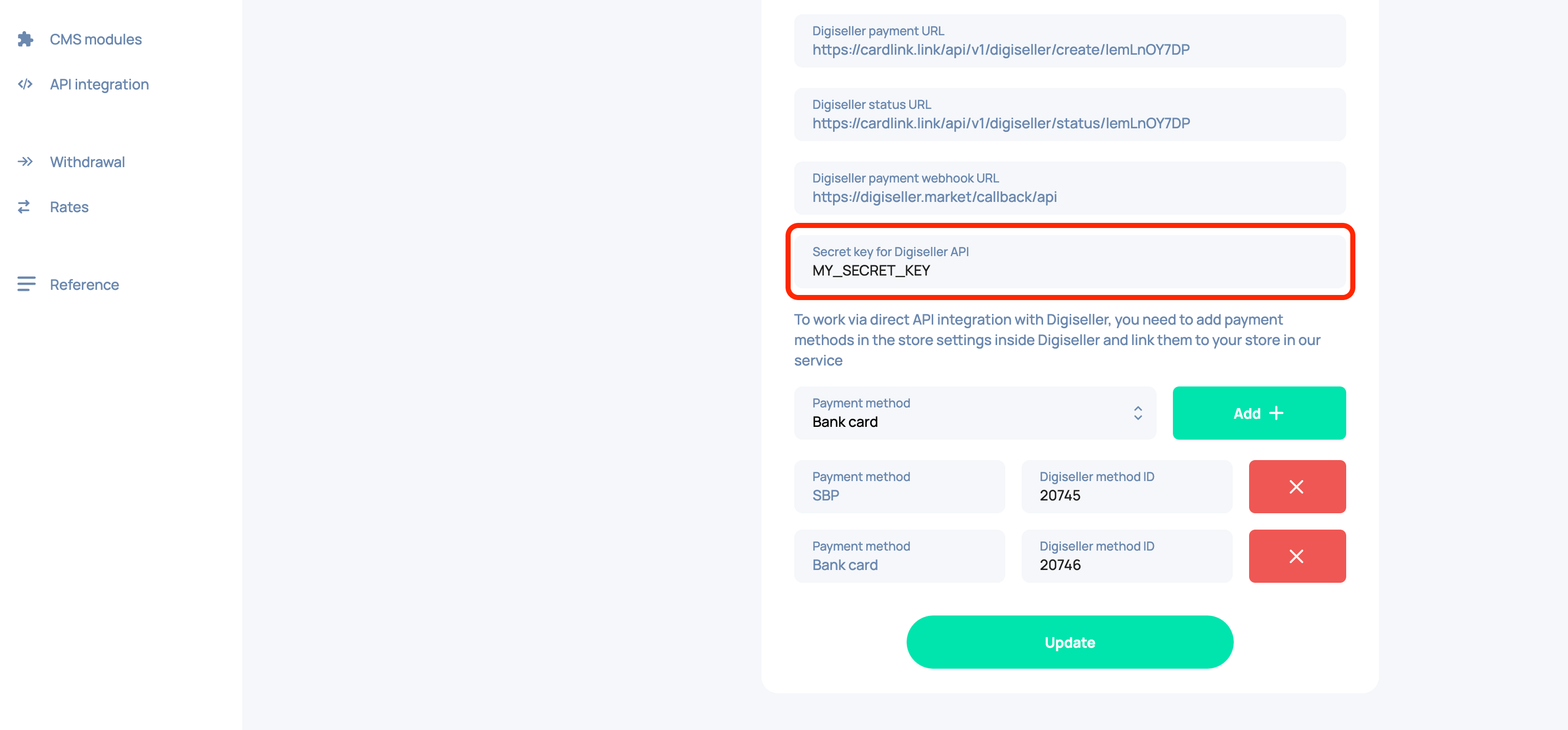
Copy the secret key and paste it into the «Secret key for Digiseller API» field in your store in cardlink.link
-
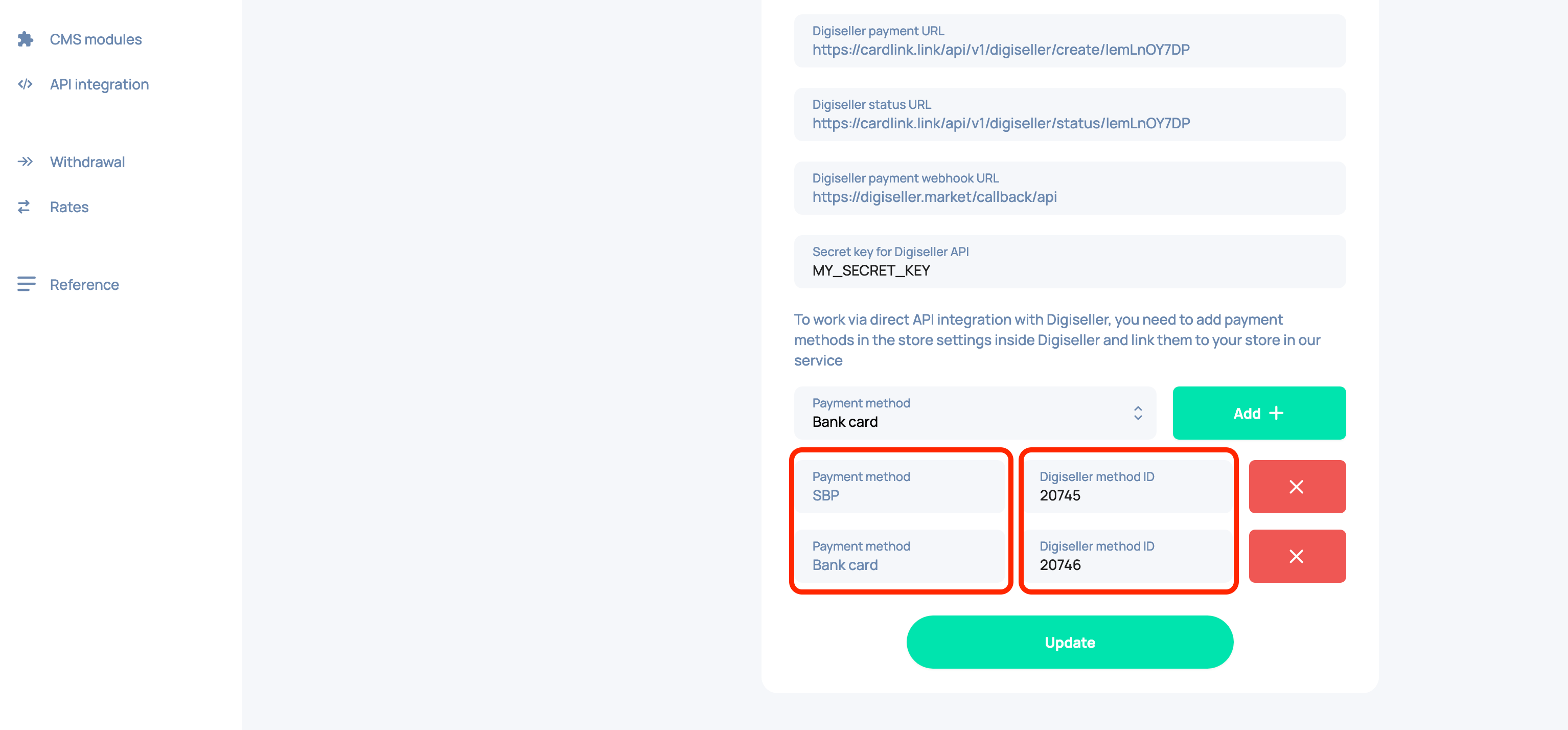
Set up the necessary payment methods. To do this, add and configure the methods you need on Digiseller, then specify their IDs according to the type in cardlink.link
-
After adding all the necessary parameters to Digiseller, click the «Check» button and make sure that the check was successful. If you receive an error, contact cardlink.link technical support